A high volume of leads does not guarantee profit if the company does not have a properly structured sales management system. In this article, we will explore how to optimize each stage of the funnel — from the initial contact to closing a deal. You will learn how to implement lead handling standards and avoid losing potential customers along the buying journey.
- Why leads get lost
- Building a system for processing requests
- Step 1. Lead collection
- Step 2. Qualification
- Step 3. Initial contact
- Step 4. Negotiations and closing the deal
- Step 5. Post-sale communication
- Step 6. Analytics
- Conclusion
- FAQ
A strange pattern emerges: the more actively a business invests in customer acquisition, the more pressing another problem becomes — what to do with these customers next. Lead generation works, leads come in, but conversion does not increase. The issue is almost never the quality of the leads. The issue is how they are handled.
Unprocessed leads, missed inquiries, and other consequences of disorganization in the sales department cost your business real money. According to research, companies lose between 20% and 40% of potential customers simply due to delayed or disorganized handling of inquiries.
In this article, we will break down step by step how to structure lead management so that every interested prospect is guided through the journey to purchase.
Why leads get lost
Small and medium-sized businesses most often handle leads this way: inquiries come from different sources: someone calls, someone writes in direct messages, someone fills out a website form. A sales rep notes the task in their notes, a colleague duplicates it in a group chat, and a supervisor adds it to an Excel spreadsheet. And at that point, no one really knows who is responsible for what or at which stage the customer is in the process.
This is communication chaos — the main enemy of conversion. The reasons for its appearance are usually typical:
- inquiries from different channels are not storred in one place
- there is no clear responsible person for each lead
- tasks are assigned verbally or in messengers and are quickly forgotten
- the sales rep only learns about problems after the fact, when the client has already left
Building a system for processing requests
Before optimizing the process, it is worth understanding a basic principle: a customer does not buy immediately. They go through several stages — from the initial contact to payment. This is called a sales funnel.
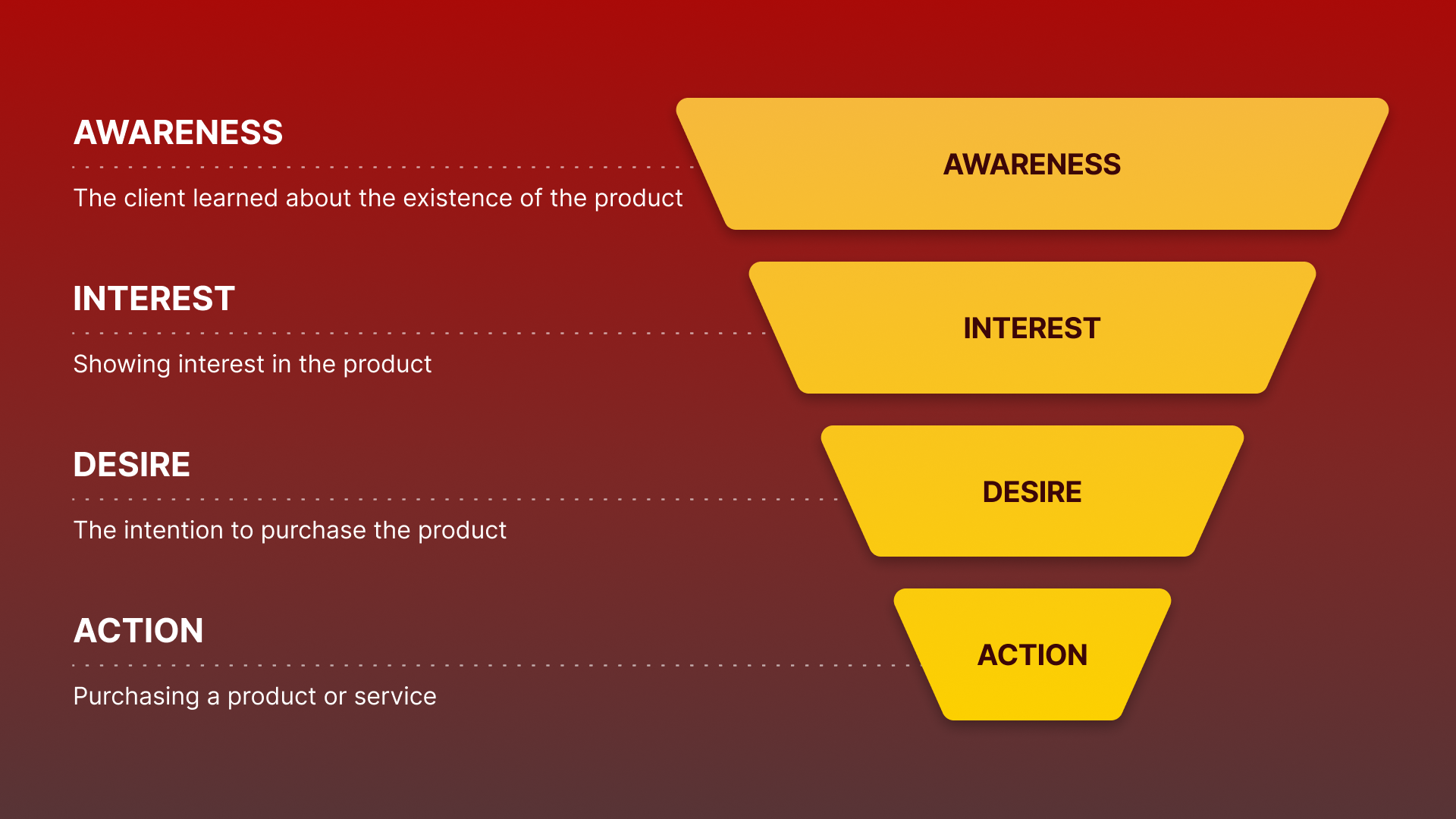
The classic sales funnel looks like this: lead generation → qualification → initial contact → negotiations → deal. In some cases, stages may also be added after closing the deal. These are usually actions aimed at customer loyalty. One such stage can be post-sale contact to secure repeat deals.
At each stage, some people drop off. The goal of the business is to ensure that as few as possible are lost, and that those who do leave go for objective reasons, not because the sales rep forgot about them.
Key rules for working with the funnel:
- Each lead must have a status. Without a status, there is no understanding of what to do next;
- Each lead must have a responsible person. If everyone is responsible for a client, then no one is responsible.
- Movement through the funnel must be tracked. Only this way is it possible to understand at which stage clients are being lost and what can be done about it.
Now we can move on to the specific steps.
Step 1. Lead collection
A lead is the initial contact with a potential customer. A person calls, writes, or submits a request — they are not yet a customer, but they have already shown interest. And this is where the first problem appears: leads come from different sources, and if they are not collected in one place, they can easily be lost.
Typical lead sources for a business are incoming calls, website inquiries, emails, and messages on Facebook or Instagram. All these leads should be collected in one place — in a CRM. It is also recommended to structure the process so that data transfer into the system is automated.
We have described in detail how to set up integration of calls, SMS, and email with Teamsale in this article. And if your customers come from social media, be sure to read how to create leads from social networks via Zapier. Leads added this way will go into the "Raw" pool. Any sales rep will be able to pick up a lead, take it into work, and start developing the contact.
Process automation significantly saves employees’ time and reduces the likelihood of losing any inquiry.
Step 2. Qualification
After a lead enters the system, it needs to be qualified. In other words, it is necessary to determine whether this is a potential customer or someone who simply showed interest out of curiosity. Qualification is done in order to set priorities. A sales rep handling twenty leads at a time cannot physically give equal attention to all of them. Therefore, it is better to analyze the leads and focus on those who are more likely to make a purchase.
Basic qualification questions:
- Is there a specific task or need?
- Does the customer have a budget to solve it?
- Who makes the purchasing decision?
- What are the timelines?
You can record the answers to these questions in the lead card for future use. In Teamsale CRM, the lead card displays all customer details, interaction history, recorded calls, SMS, and email messages — all in one place. By opening the card, a sales rep immediately understands the context and does not ask the client the same questions a second time.
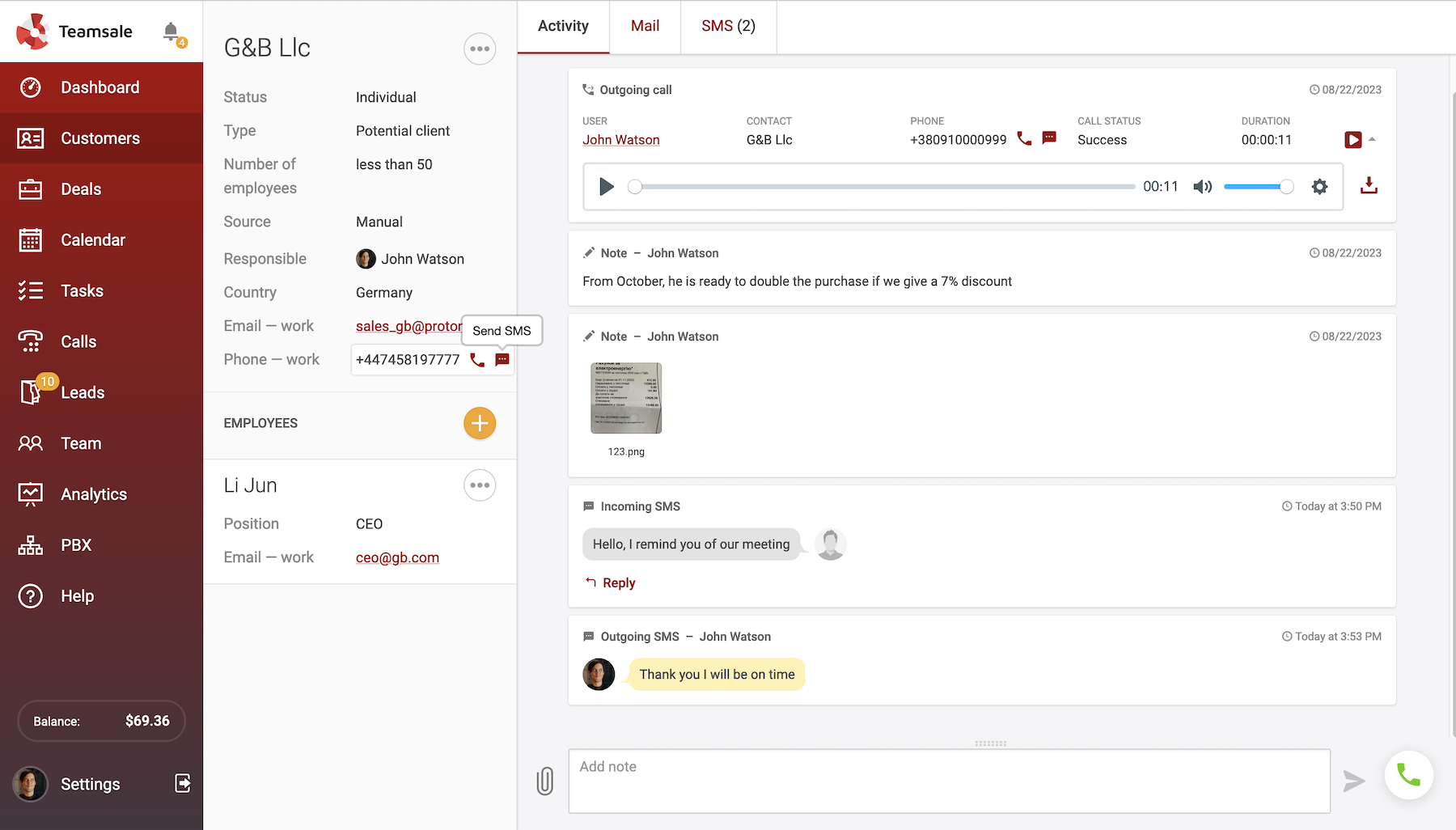
Additionally, you can use tags. These are labels that help group similar customers. For example, "large client", "hot deal", or "repeat interest". This is especially useful when the database grows and you need to quickly find the right segment for mailing or calling campaigns.
Step 3. Initial contact
A qualified lead should be handed over to a sales rep as quickly as possible. It is believed that the likelihood of a successful contact drops significantly if the first response comes an hour or more after the inquiry. Many customers, especially in the B2C sector, tend to make impulse purchases, which is why it is important to respond quickly if you want to close the deal.
The initial contact is better made by phone rather than email. A phone call establishes a personal connection, allows objections to be handled quickly, helps understand the customer’s intentions, and allows immediate qualification.
For this step, the ability to make calls directly from the CRM is essential. In Teamsale, a sales rep opens the lead card, clicks one button, and is immediately connected with the client. The conversation is recorded automatically. This solves several tasks at once: the sales rep is not distracted by switching between applications, and the supervisor can listen to the recording and assess how accurately the script was followed.
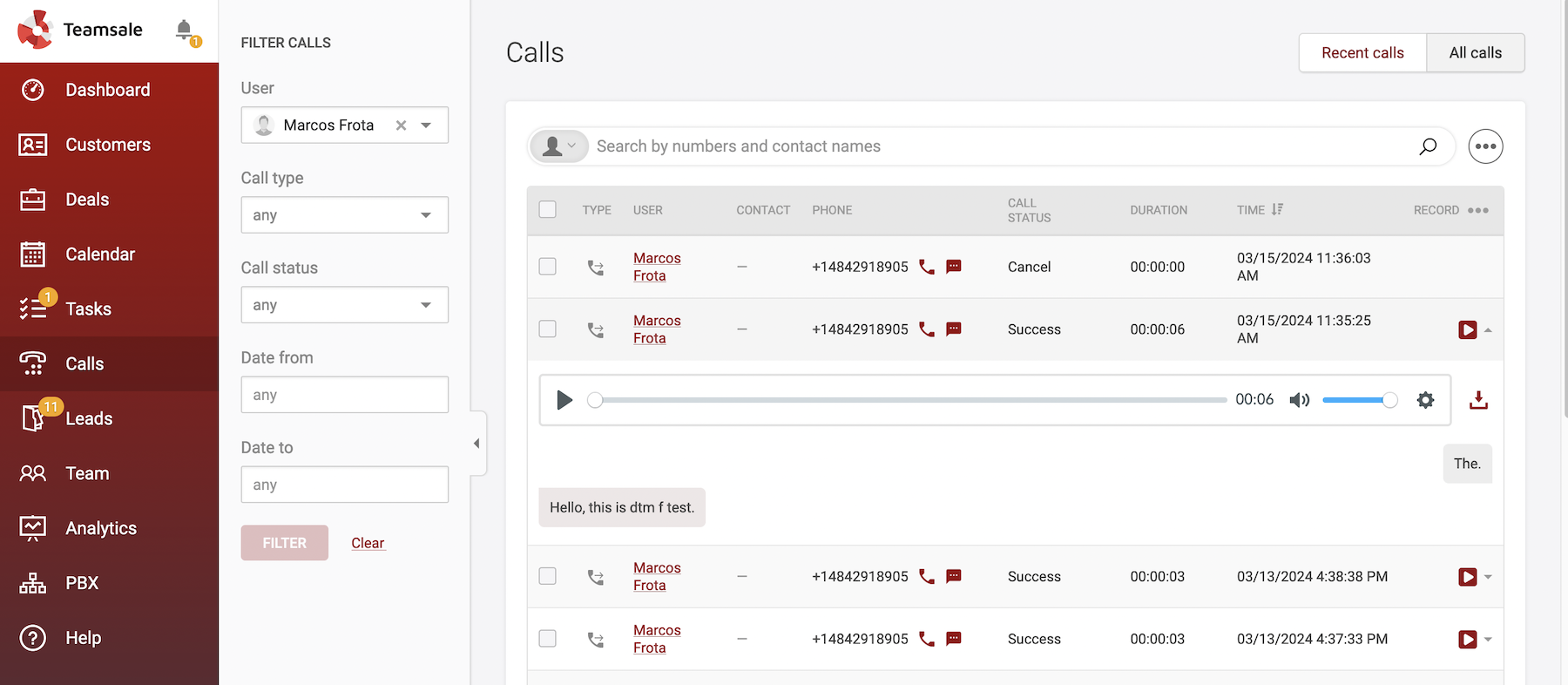
By the way, about scripts. They only work when they are adapted to real customers and a specific product. Universal templates from the internet rarely produce results. To understand how customers react to a particular conversation flow and where the script fails, it is useful to use call recordings: listen selectively, identify weak points, and refine them together with the team.
If you want to go further, Zadarma offers AI speech analytics: call transcripts appear directly in the CRM, and quality ratings for each call are available in the personal account. There is no need to manually listen to hours of recordings — the system automatically highlights where the conversation did not go as planned.
Step 4. Negotiations and closing the deal
The lead has turned into a customer, and now work with the deal begins. A deal is a record of a specific sale: what is being sold, to whom, for how much, and at what stage it is.
The lead has turned into a customer, and now work with the deal begins. A deal is a record of a specific sale: what is being sold, to whom, for how much, and at what stage it is.
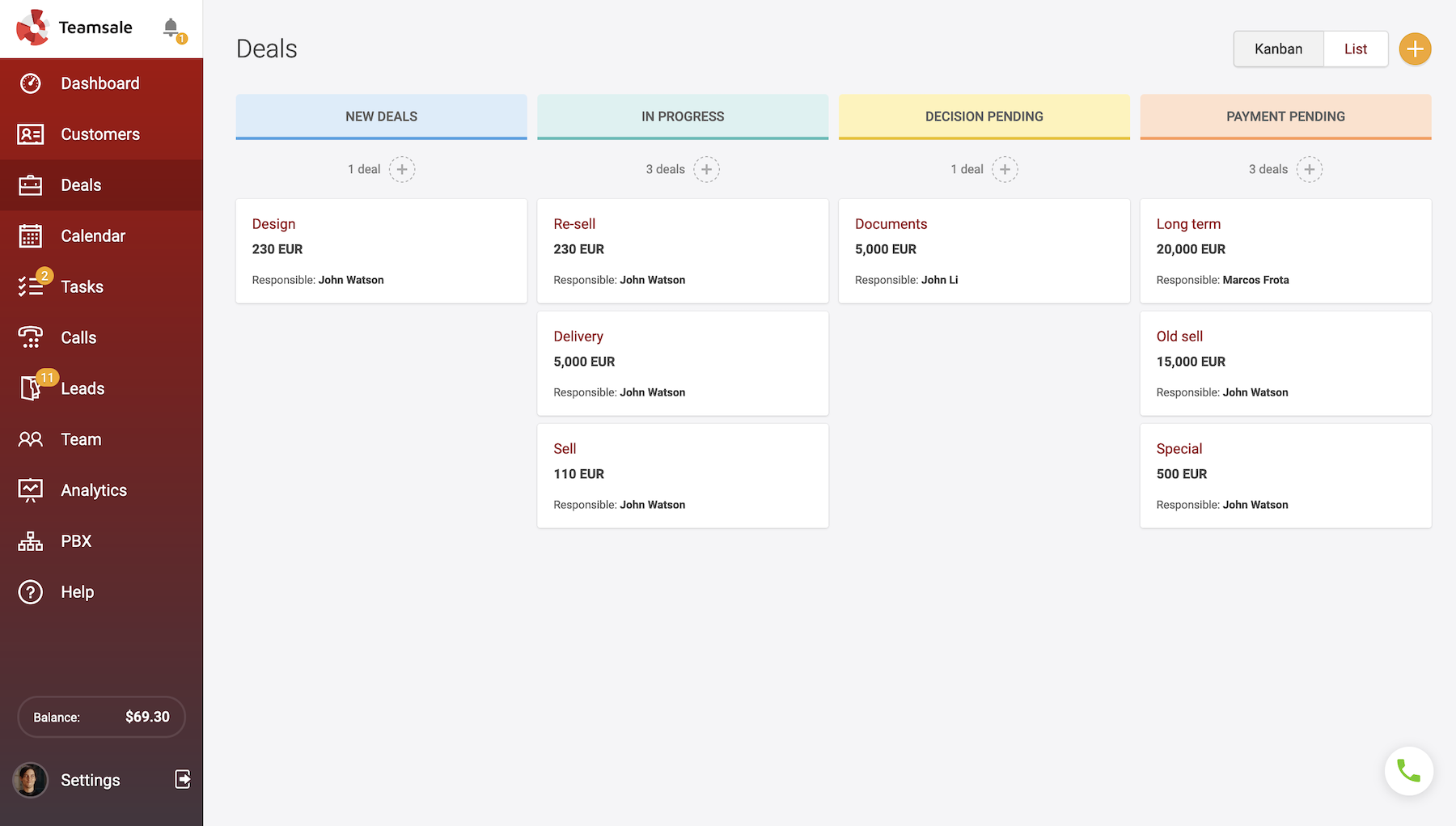
The most convenient way to manage deals is as a Kanban board, where each card represents a deal and the columns represent stages: "New", "In progress", "Decision pending", "Payment pending", and "Successful". A team leader can open the board and, within seconds, see the full picture: how many deals are in progress, which sales reps are busy, and which processes are underperforming.
But an even more useful Teamsale feature is tasks with reminders. After each conversation, a task should be created for the lead: call back, send a proposal, or schedule a meeting. If there is no task, the lead will get stuck. The system will send reminders about assigned tasks to the email of the sales rep responsible for them. Tasks can also be synchronized with Google Calendar, so the reminder will appear there as well.
Task types vary: a standard task, a scheduled call, a video conference, or a delayed SMS message. In practice, this can be used as follows: for example, if a client books a consultation, the system will automatically send them an SMS reminder on the day of the visit. This saves employees’ time and creates the impression of professional service, even for a small team.
Remember: deals with well-structured processes are closed more often than those where the next step exists only in plans.
Step 5. Post-sale communication
Sales is not the final point in the relationship with a customer, but rather its beginning. Repeat deals are significantly cheaper for a business than acquiring new customers, and a loyal customer, when approached correctly, will return again and again.
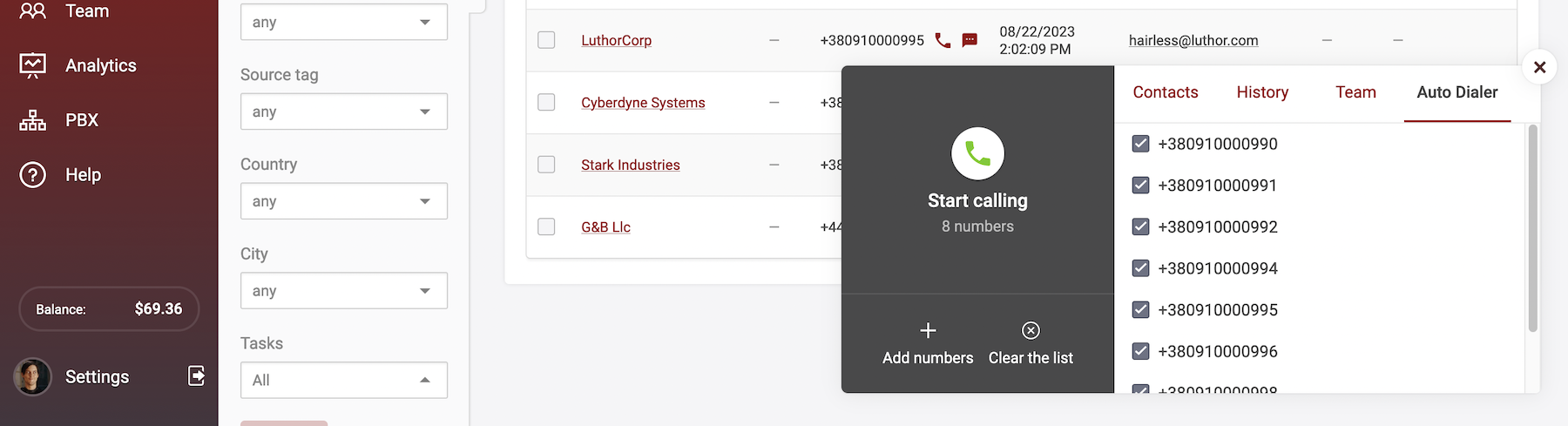
If your database includes customers you have not contacted for a long time, or leads that have been thinking for several weeks, you can launch an automated call campaign or SMS campaign directly from the CRM. There is always a reason to reach out: a discount, a new service, a seasonal offer, or simply a reminder. The key is not to wait until the customer remembers you on their own.
Step 6. Analytics
When the process is in place, the next question arises: how do you know it is working? And where exactly is it breaking down? The answer should be found in analytics.
Here is what a team leader should be able to see:
- Lead analytics: how many leads were received over a period, how many were converted into customers, and what the pool of unprocessed inquiries looks like. If conversion drops, it is a signal that a stage in the funnel is underperforming.
- Call analytics: Call analytics: which sales rep make more calls and what the average call duration is. Very short calls without results may indicate that a sales rep is unable to maintain a conversation. Long calls without closing a deal may point to issues with the script.
- Sales funnel by deals: it is important to evaluate at which stage most customers drop off. If the majority of deals are stuck at the "decision pending" stage, it is a reason to review the offer or adjust the approach to handling objections.
- Source analytics: identify which channel brings real customers. It may turn out that advertising with one phone number generates three times more conversions than another. This allows for smarter budget allocation
- Team KPIs: how many tasks are open and completed for each employee, and the growth dynamics of customers per sales rep.
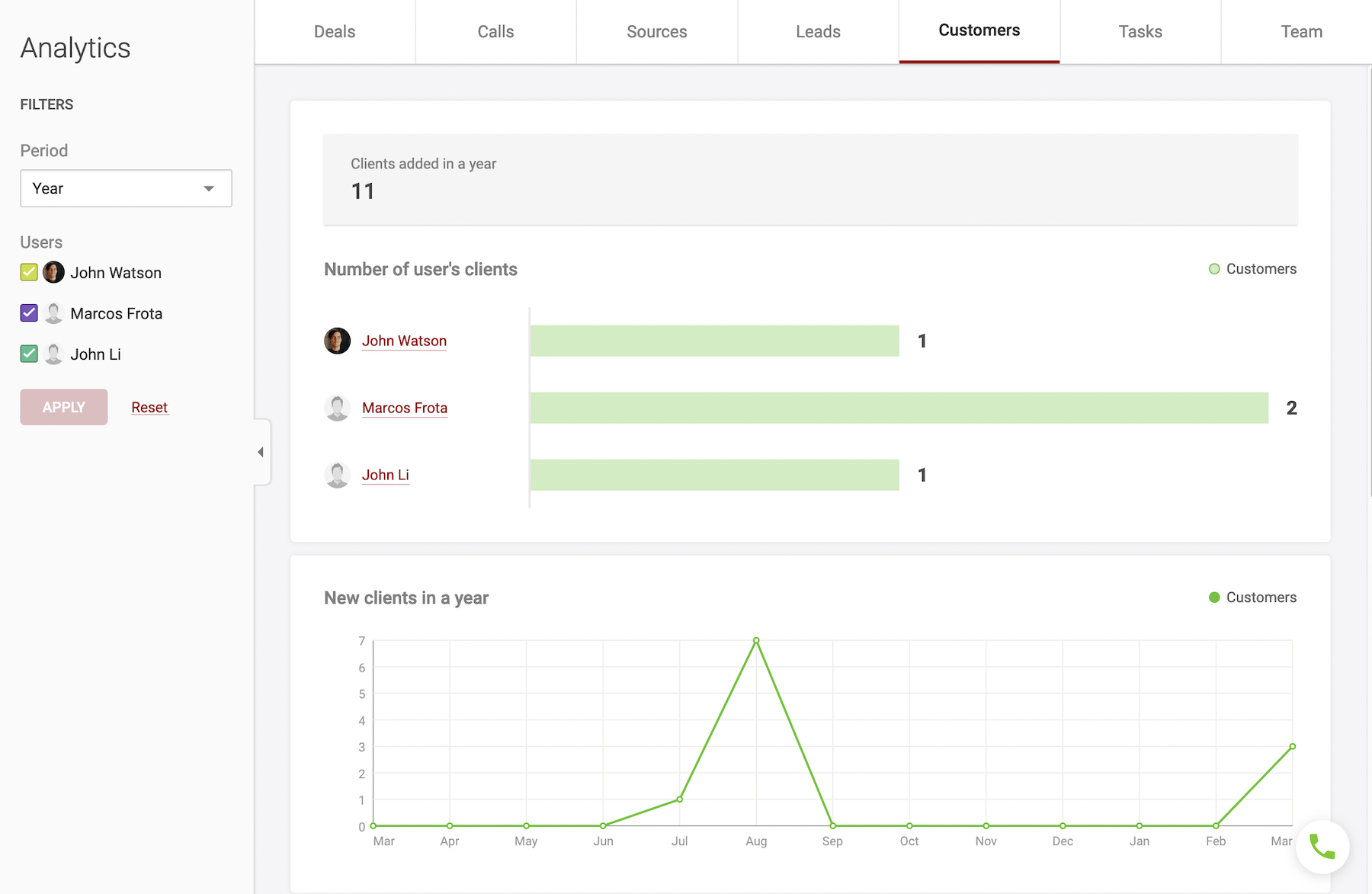
All this analytics does not require a separate BI tool or exporting to Excel. It is already built into the Teamsale CRM, you just need to open the right section.
Conclusion
Customer management becomes more efficient when all stages of the process are combined into a single system rather than scattered across notebooks, spreadsheets, and messengers. That is exactly what CRM systems are designed for.
If you have not yet tried working with a CRM, or your previous experience was unsuccessful, try Teamsale CRM. It was specifically designed for sales and customer acquisition: it includes everything needed to work with leads, deals, calls, and analytics — without unnecessary features. Since the CRM was developed by the Zadarma team, telephony and customer management work as a single system, without the need for additional modules or integrations.
FAQ
How to increase lead-to-customer conversion?
There is no universal formula, but there are several factors that consistently deliver results. The first is the speed of the initial contact: the faster a sales rep reaches out after an inquiry, the higher the chance of closing a deal.
The second is lead selection: not all leads are equally promising, and the ability to quickly identify high-potential customers significantly saves time.
The third is follow-ups: most customers do not make a purchase after the first call, and without a reminder system, they simply drop off.
What should you do if sales reps forget to call clients back?
Human memory does not handle a large number of tasks well, especially when new contacts appear every day. The optimal solution is to remove the need to remember.
Any agreement with a client should immediately be turned into a task in the CRM with a specific date and reminder. If the process is not automated and depends on the employee’s self-discipline, missed follow-up calls will happen regularly.
Which CRM is suitable for a small sales team?
The best option for a small business is a CRM that is focused specifically on sales, rather than a universal tool with many complex modules.
It is important that employees can start working immediately without lengthy training, and that the cost of the system does not put pressure on the budget at the initial stage.